

RMA Service Tracking
Follow your RMA cases, read their status history and message the RMA team.
RMA Service Tracking shows where each of your RMA, DOA and advance-replacement cases stands, its full status history, and a way to message the RMA team about it.
Where to find it
In the left menu under Support, or press Ctrl + K and type “RMA Service Tracking”.
For VAD only
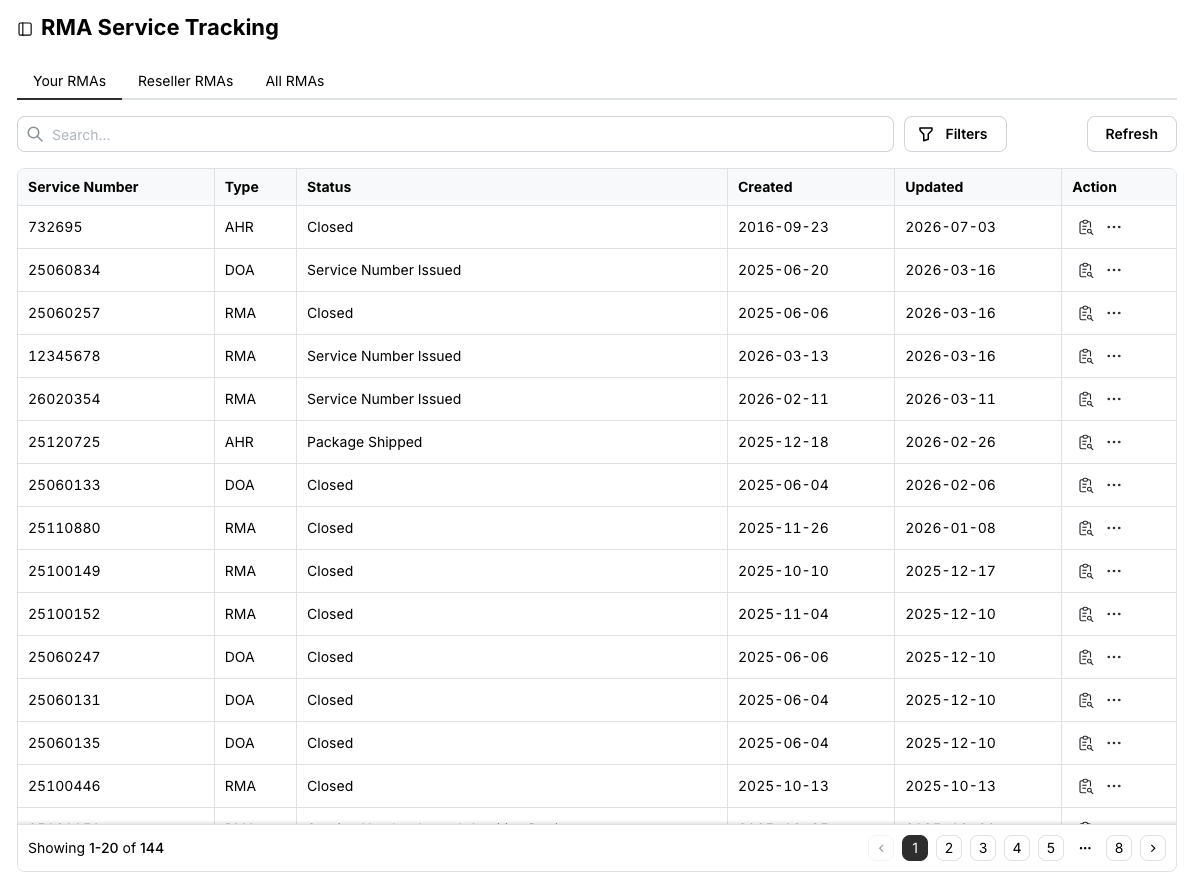
The Reseller RMAs and All RMAs tabs are available exclusively to VADs.
Check an RMA
Search by service number, or filter by type and status, then click the details icon in the Action column.
The Details tab shows the case type, service number, status and the shipping information for sending the device to us.
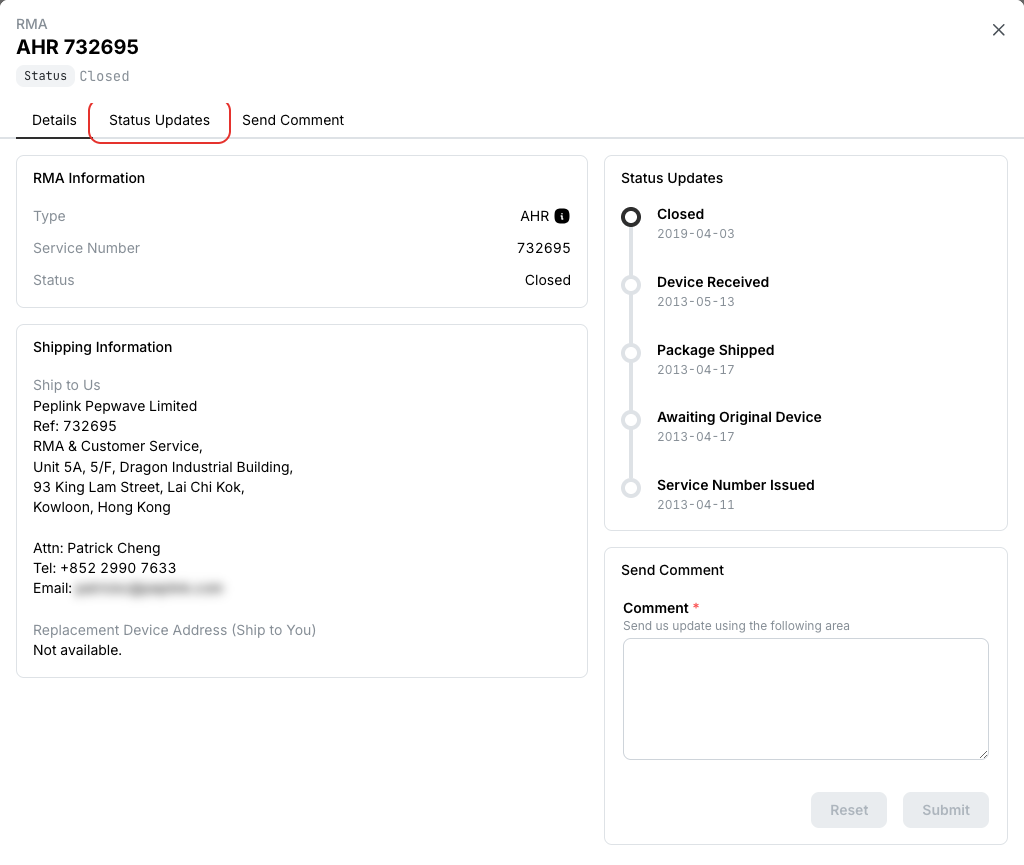
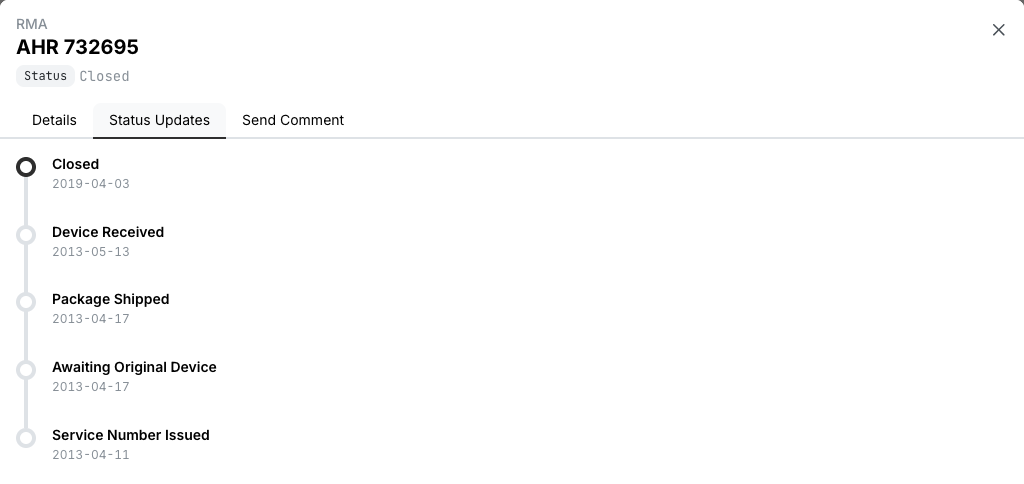
Status Updates is the history of the case, from service number issued to closed.
Send a comment to the RMA team
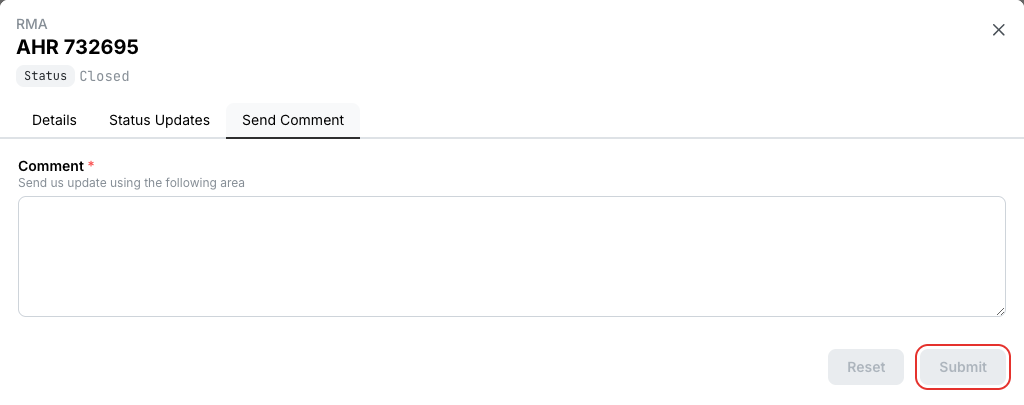
Open the RMA and switch to Send Comment.
Write your update or question and click Submit. The RMA team replies through the case.
Related
- Lookup Devices — shows whether a device is currently under RMA
- Create Support Ticket — for anything that is not yet an RMA case