

API Keys
Create and revoke the API keys your systems use to call the Partner API.
API keys let your own systems call the Peplink Partner API — to look up devices, register sales, place orders and more — without a person signing in. Create a key here, keep it secret, and revoke it the moment it is no longer needed.
Getting started
The API is organized around REST and uses Bearer authentication: every request carries one of your API keys.
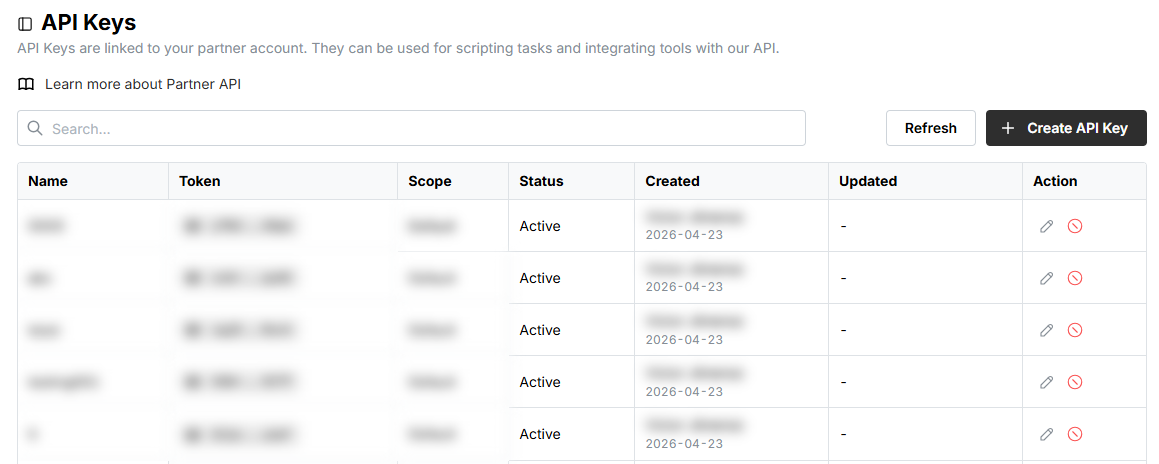
Your workflow to integrate with Partner API is usually like the followings:
- 🛡️ Create an API key
- 📝 Check API reference and documentation of different APIs.
- 🛠️ Start development and integration
- 🚀 Launch your integration
Create an API key
Each key belongs to your partner account and can be scoped to what it may do.
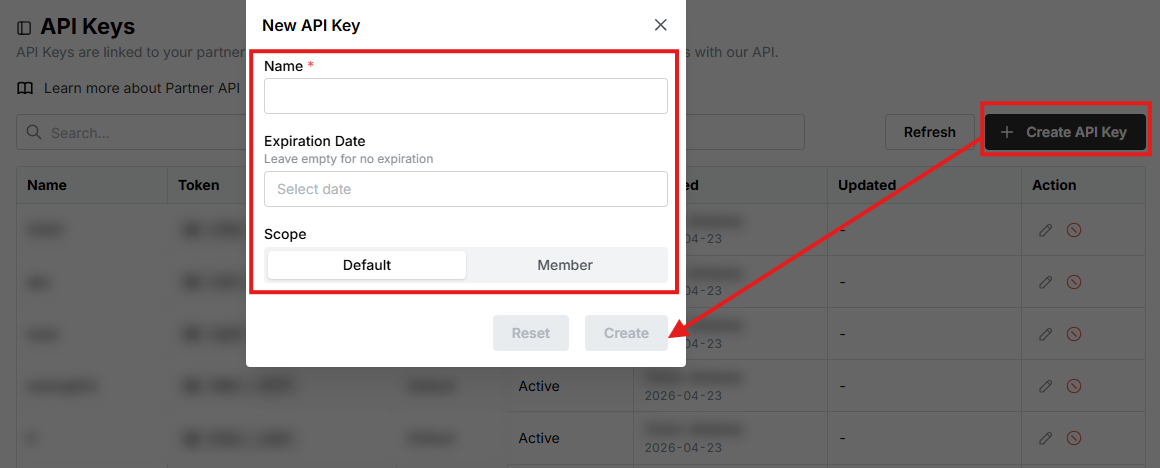
Enter a Name. Set an Expiration Date to have the key stop working on that date; leave it empty for a key that never expires.
Then choose a Scope:
- Default — the key can do everything your account can.
- Member — the key can do only what the chosen member can.
- Capabilities — pick the Starlink capabilities directly. Shown to Starlink ASPs only.
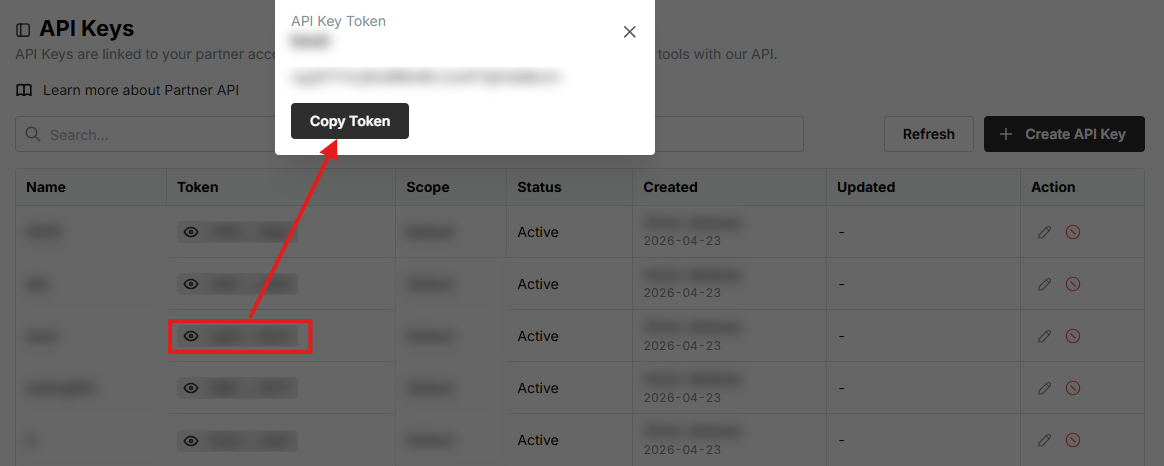
Copy the token and store it in your integration's secret store. Treat it like a password: anyone holding it can call the API as your account.
Revoke an API key
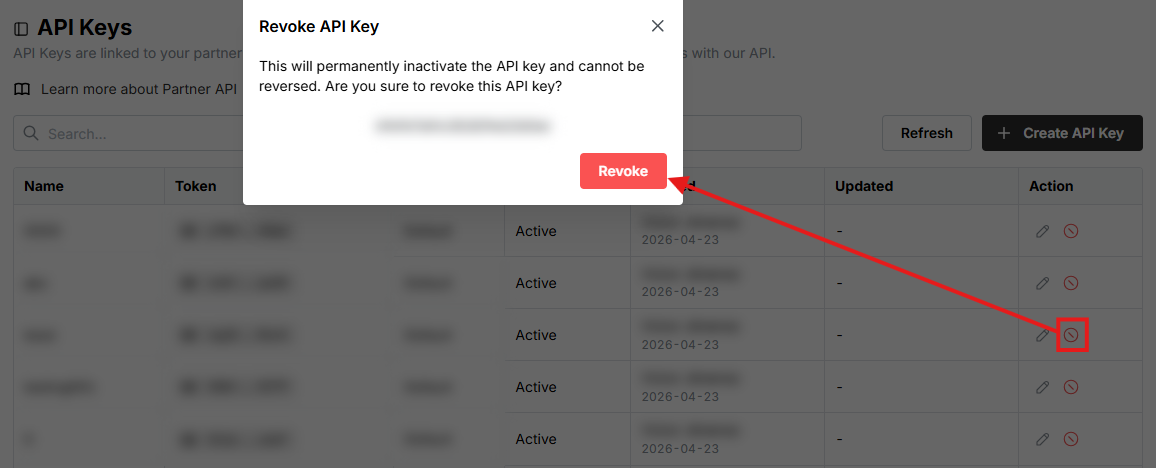
Revoke a key the moment it is no longer needed, or if you suspect it has leaked. Only the key's name can be edited after creation; everything else requires a new key.
Click Revoke in the confirmation.
Revoking is final
A revoked key stops working immediately and cannot be restored. Create a new key and update your integration before revoking the old one.
Related
- API Reference — base URL, authentication and every endpoint
- Recipes — end-to-end walkthroughs
- Members — the members a key can be scoped to