

Rebate Requests
Claim deal rebates on devices sold under a deal closed as won.
Enabled for selected partners
Available only to partners with this section enabled on their account.
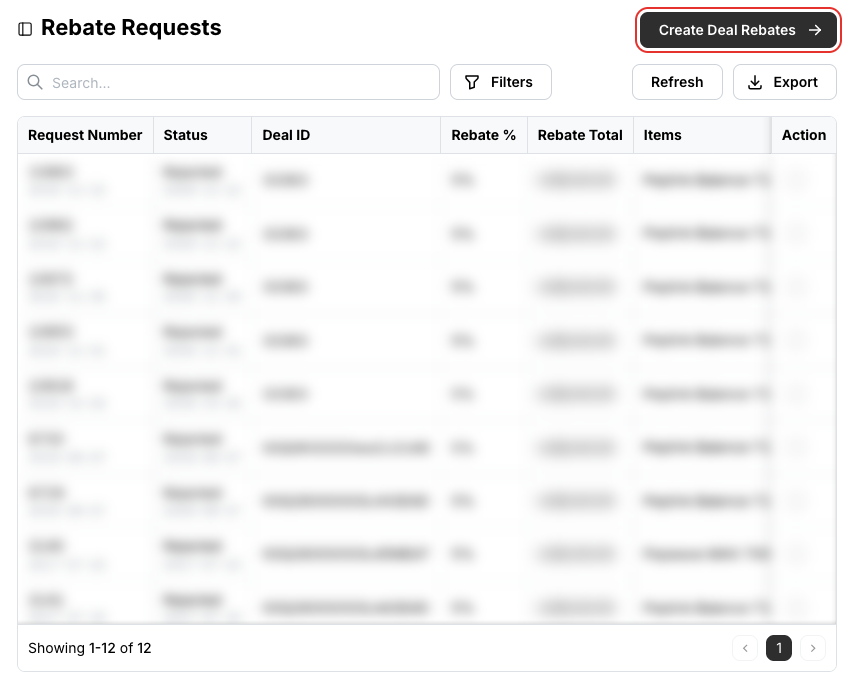
Rebate Requests is where you claim the deal rebate on devices sold under a deal that closed as won, and follow each claim's status and amount.
Before you claim
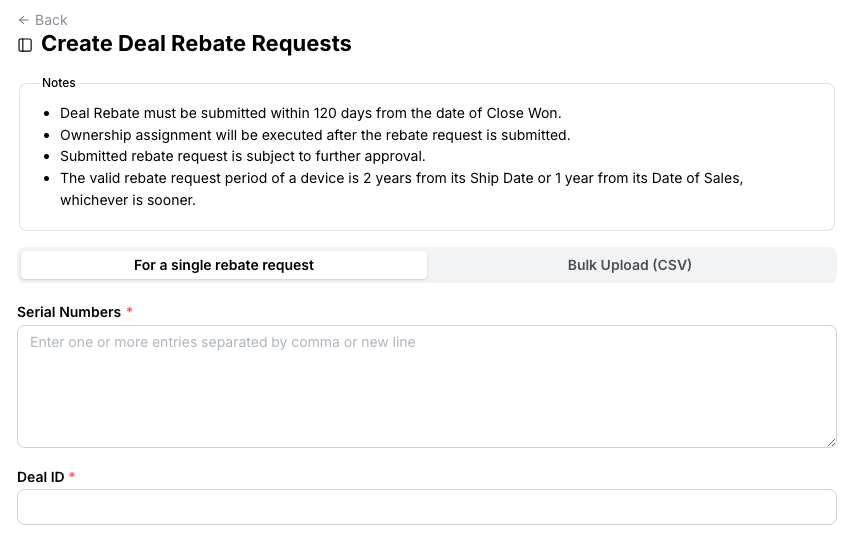
A deal rebate must be submitted within 120 days of the deal closing as Won. A device qualifies for 2 years from its ship date or 1 year from its date of sales, whichever is sooner. Ownership of the devices is assigned to you when the request is submitted, and every request is reviewed before approval.
Claim a rebate for a few devices
Click Create Deal Rebates at the top right of the list.
On For a single rebate request, enter the serial numbers and the Deal ID of the deal that closed as won. Each serial number is validated and shows the rebate amount it qualifies for.
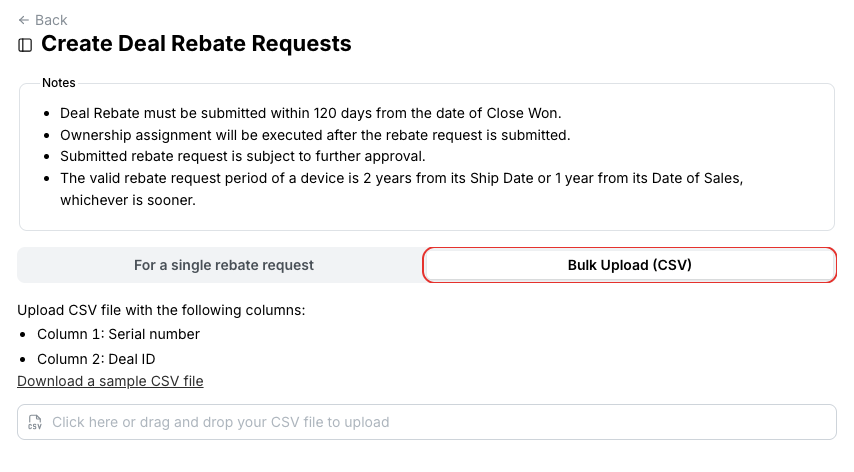
Claim rebates from a CSV file
Switch to Bulk Upload (CSV) and download the sample file. Two columns: the serial number, and the deal ID it was sold under.
Related
- Deals — closing a deal as won
- POS Records — POS rebates